Keep things working well.
Stop wondering when you last cleaned it. Keep the last completion and the next due date together for recurring home care.
Air filters / Extractor fans / Washing machines

Cleaning, emergency supplies, and renewals.
Keep occasional home tasks in one place.
Get a reminder when it is time to act.
DOWNLOAD FREE TODAY

SMALL REMINDERS. EVERYDAY PEACE OF MIND.
Beyond your daily to-do list.
Routine upkeep and once-a-year checks, all in one place.
Stop wondering when you last cleaned it. Keep the last completion and the next due date together for recurring home care.
Air filters / Extractor fans / Washing machines
Give stored emergency supplies a check-in date. Remember to review food and water expiry dates and check your batteries.
Emergency food and water / Batteries / Go bags
Set a date to review contracts and warranties you rarely think about. Check the paperwork with time to plan your next step.
Home insurance / Equipment warranties / Appliance warranties
GET STARTED IN THREE STEPS
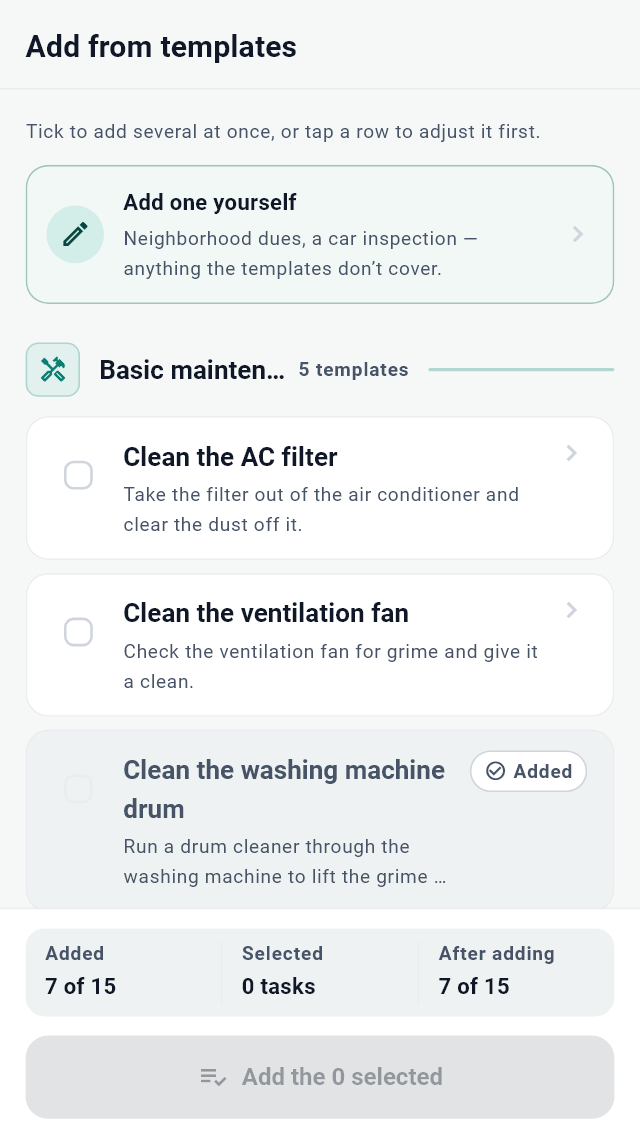
Start by choosing the tasks you need, instead of writing every detail from scratch.
Choose from 28 templates in 6 categories. Select several tasks that fit your home at once.
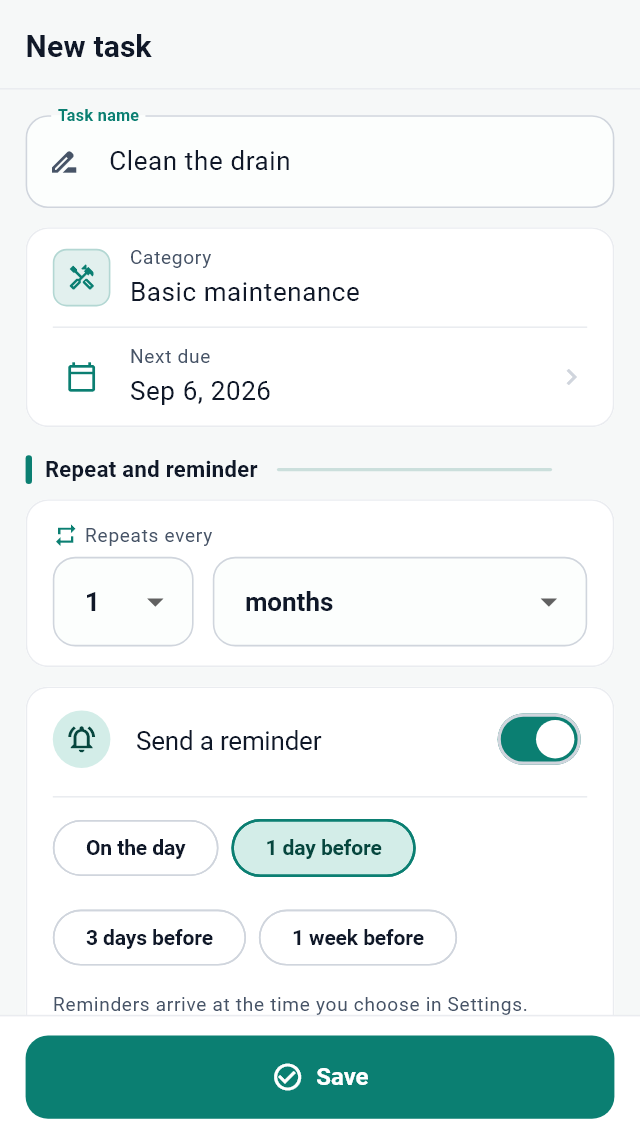
Set a repeat interval and a reminder for the due date, or 1, 3, or 7 days before.
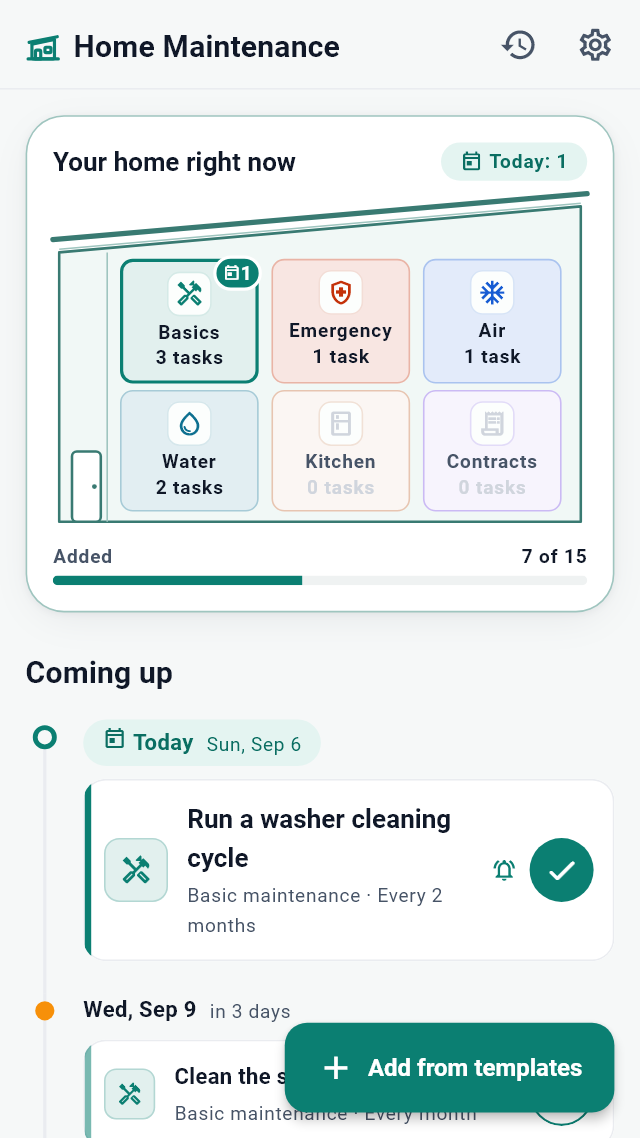
See your home overview and tasks in date order. Mark each task complete when you finish.
BUILD A ROUTINE THAT FITS
Busy today? Simply move the date.
Manage what matters at a pace that works for you.
Move a task to tomorrow, next week, or a date you choose.
Check your completion history and undo the most recent completion if needed.
Tidy your list by archiving tasks. Restore them whenever you need them again.
Keep data on your device without an account. Export a backup file for safekeeping.
A FEW THINGS TO KNOW
About pricing, reminders, and your data.
You can add up to 15 tasks for free. Where available, completing an optional rewarded video adds 5 more task slots.
There are 28 templates across 6 categories: basic maintenance, emergency preparedness, air conditioning, plumbing, kitchen, and contracts and warranties. You can also create your own tasks.
For each task, choose the due date or 1, 3, or 7 days before. In Settings, choose 8 a.m., 9 a.m., or 8 p.m. Notification permissions and battery-saving settings may prevent or delay reminders.
No. The app calculates the next due date from the completion date and repeat interval. It also keeps a completion history so you can check the previous date.
From task details, move it to tomorrow or next week. You can also choose any date from the calendar.
No. Your tasks and completion history are stored on your device.
In Settings, export your tasks and completion history to a JSON file. You can restore from that saved file. Restoring replaces the current data with the contents of the backup.
Photo notes, family sharing, and cloud sync are not currently supported. You can add text notes to tasks.
START WITH ONE THING ON YOUR MIND
No sign-up. Add up to 15 tasks for free.